
Import from PydanticAI
Already have a PydanticAI agent? InitRunner can convert it into a native role file automatically — mapping your model, system prompt, output type, and tools to InitRunner's YAML format. @agent.tool and @agent.tool_plain functions are extracted into a sidecar Python module with RunContext parameters stripped so they keep working without changes.
Old envelopes still load. Convert them with initrunner doctor --fix PATH. See Envelope Migration.
You can import via the dashboard (paste your code) or the CLI (point at a file).
Dashboard Import
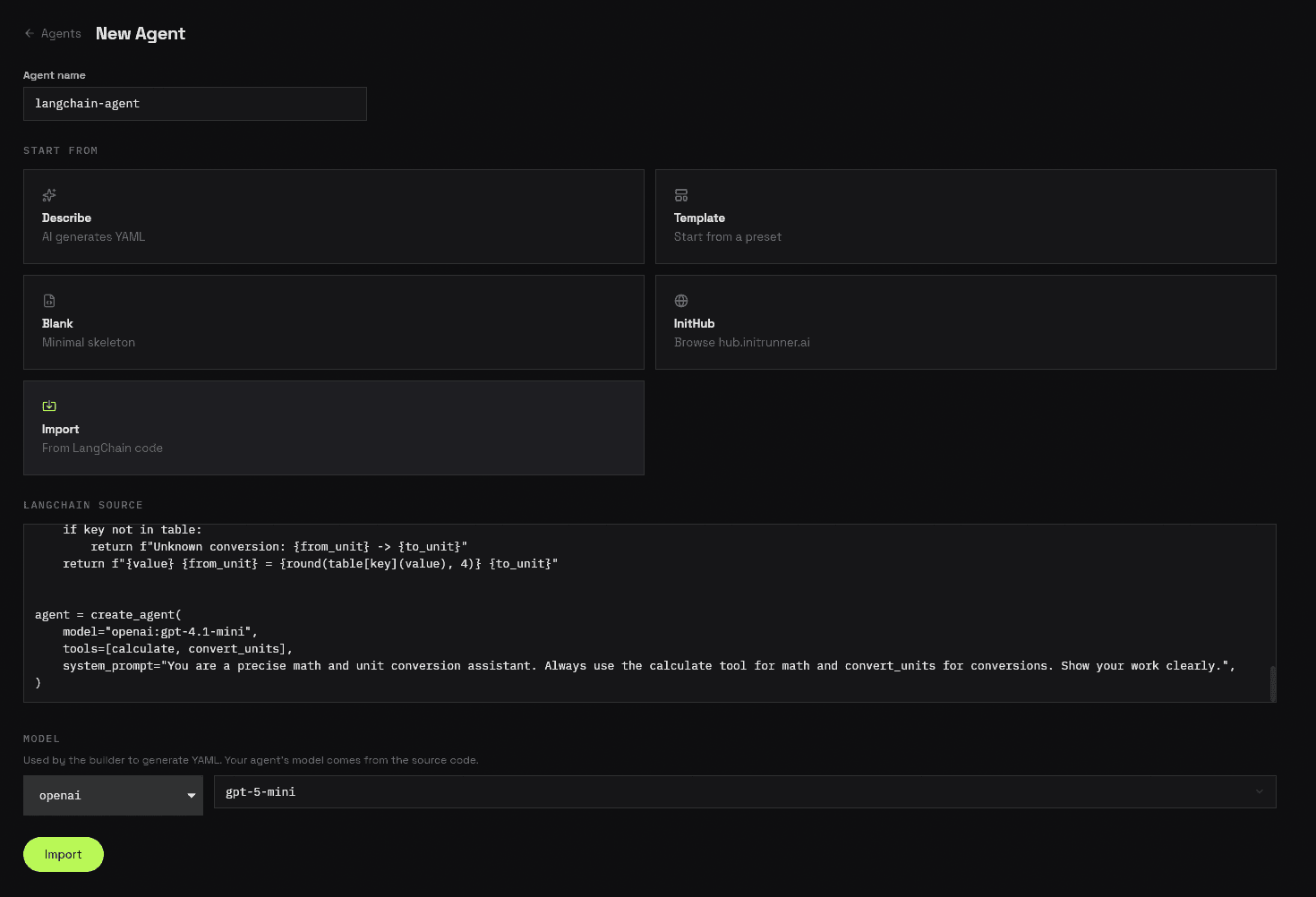
1. Start a new agent and select Import
Open the dashboard, go to Agents → New Agent, type a name, and select Import under "Start From". Toggle the framework pill to PydanticAI, then paste your Python code into the source editor. Choose the model that will power the conversion (this is the builder model, not your agent's model — the agent's model is read from your code).
2. Review the converted agent
InitRunner parses your code and generates a complete role definition. Review the YAML — your model, system prompt, output schema, and tools are mapped automatically. If any PydanticAI features couldn't be converted (e.g. pydantic_graph, logfire, MCP servers), you'll see warnings at the top explaining what to configure manually.
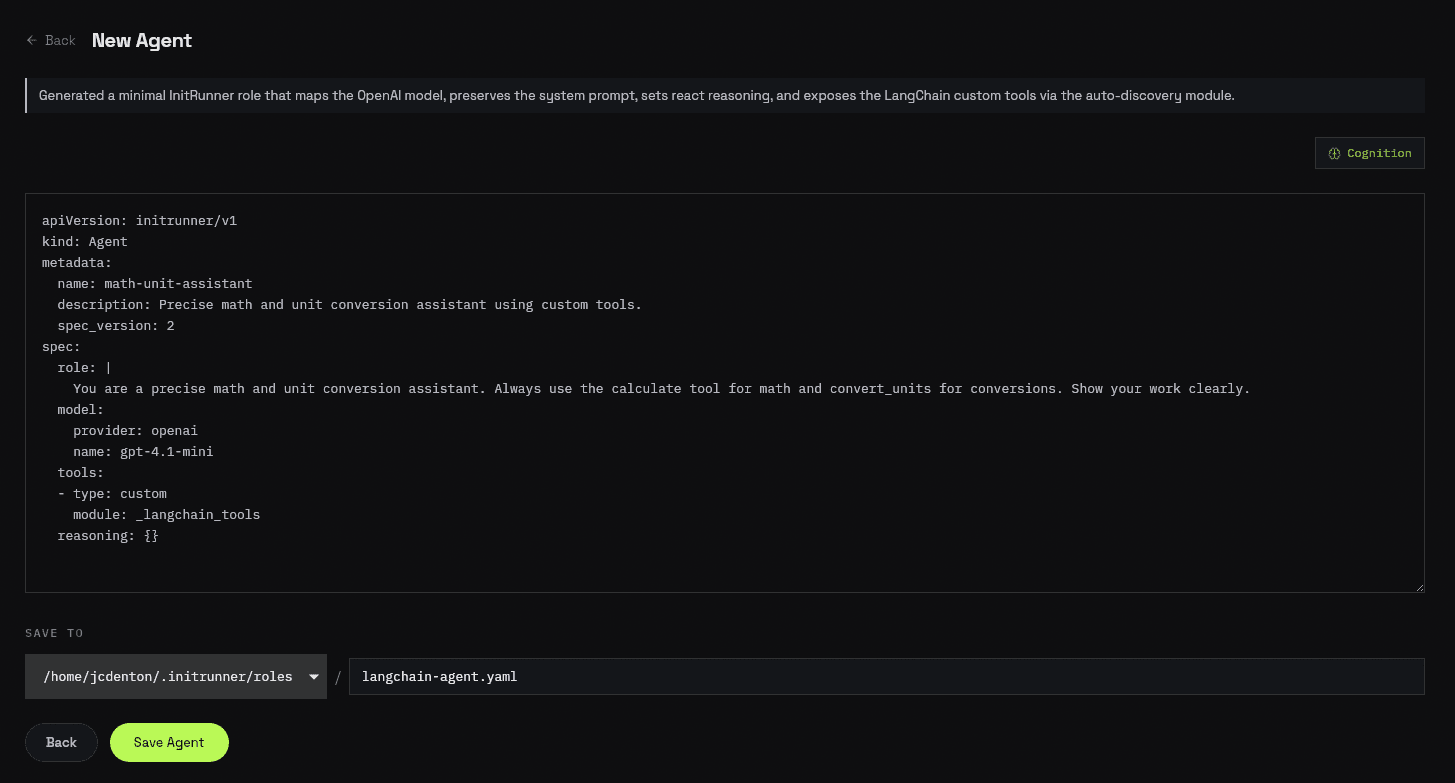
3. Save
Click Save Agent to write the role file. Your imported agent is ready to run from the dashboard or CLI.
CLI Import
Point initrunner new at your PydanticAI Python file:
initrunner new --pydantic-ai weather_agent.pyInitRunner reads the file, extracts the agent configuration via AST parsing, and generates an agent.yaml in the current directory. If your code has @agent.tool, @agent.tool_plain, or FunctionToolset functions, a sidecar module (e.g. role_tools.py) is created alongside.
By default you enter an interactive refinement loop where you can tweak the generated YAML. Skip it with --no-refine:
# Import without interactive refinement
initrunner new --pydantic-ai weather_agent.py --no-refine

# Custom output path
initrunner new --pydantic-ai weather_agent.py --output weather-bot.yaml

# Use a specific builder model for conversion
initrunner new --pydantic-ai weather_agent.py --provider anthropic --model claude-sonnet-4-6| Flag | Description |
|---|---|
--pydantic-ai PATH | Path to the PydanticAI Python file |
--output PATH | Output file path (default: agent.yaml) |
--provider TEXT | Builder model provider (auto-detected if omitted) |
--model TEXT | Builder model name |
--no-refine | Skip the interactive refinement loop |
--force | Overwrite existing file without prompting |
If the file contains multiple Agent() assignments, the converter imports the first one (in source order) and warns about skipped agents.
Before and After
Here's a concrete example. This PydanticAI agent has two tools, a structured output type, a system prompt, and model settings:
PydanticAI agent (weather_agent.py):
import httpx
from pydantic import BaseModel
from pydantic_ai import Agent, RunContext
from pydantic_ai.settings import ModelSettings


class WeatherReport(BaseModel):
    city: str
    temperature_f: float
    condition: str
    summary: str


agent = Agent(
    "openai:gpt-4o-mini",
    output_type=WeatherReport,
    system_prompt="You are a weather assistant. Use the provided tools to fetch real weather data, then return a structured report.",
    model_settings=ModelSettings(temperature=0.1),
)


@agent.tool
async def get_weather(ctx: RunContext[None], city: str) -> str:
    """Fetch current weather for a city from wttr.in."""
    async with httpx.AsyncClient() as client:
        resp = await client.get(f"https://wttr.in/{city}?format=j1", timeout=10)
        resp.raise_for_status()
        data = resp.json()
        current = data["current_condition"][0]
        return (
            f"City: {city}, "
            f"Temp: {current['temp_F']}F, "
            f"Condition: {current['weatherDesc'][0]['value']}"
        )


@agent.tool_plain
def fahrenheit_to_celsius(temp_f: float) -> str:
    """Convert Fahrenheit to Celsius."""
    celsius = (temp_f - 32) * 5 / 9
    return f"{temp_f}F = {celsius:.1f}C"
Run the import:
initrunner new --pydantic-ai weather_agent.py --no-refineGenerated agent.yaml:
name: weather-assistant
spec_version: 3
model:
  provider: openai
  name: gpt-4o-mini
prompt: >-
  You are a weather assistant. Use the provided tools to fetch real weather
  data, then return a structured weather report.
output:
  type: json_schema
  schema:
    type: object
    additionalProperties: false
    properties:
      city:
        type: string
      temperature_f:
        type: number
      condition:
        type: string
      summary:
        type: string
    required:
      - city
      - temperature_f
      - condition
      - summary
tools:
  - custom:
      module: weather_bot_tools
Generated weather_bot_tools.py:
"""Custom tools extracted from PydanticAI agent."""

import httpx
from pydantic import BaseModel


async def get_weather(city: str) -> str:
    """Fetch current weather for a city from wttr.in."""
    async with httpx.AsyncClient() as client:
        resp = await client.get(f"https://wttr.in/{city}?format=j1", timeout=10)
        resp.raise_for_status()
        data = resp.json()
        current = data["current_condition"][0]
        return (
            f"City: {city}, "
            f"Temp: {current['temp_F']}F, "
            f"Condition: {current['weatherDesc'][0]['value']}"
        )


def fahrenheit_to_celsius(temp_f: float) -> str:
    """Convert Fahrenheit to Celsius."""
    celsius = (temp_f - 32) * 5 / 9
    return f"{temp_f}F = {celsius:.1f}C"
What changed:
Agent("openai:gpt-4o-mini")becamemodel: {provider: openai, name: gpt-4o-mini}system_prompt=becamepromptModelSettings(temperature=0.1)becamemodel.temperature(omitted since 0.1 is the default)output_type=WeatherReportbecameoutputwith the full JSON schema@agent.tooland@agent.tool_plaindecorators were strippedctx: RunContext[None]was removed from the async tool signaturepydantic_aiimports were filtered out;httpxandpydanticimports were kept- The sidecar module name was derived from the output YAML filename
What Gets Converted
| PydanticAI | InitRunner |
|---|---|
Agent("openai:gpt-5") | model: {provider: openai, name: gpt-5} |
Agent(OpenAIModel("gpt-5")) | model: {provider: openai, name: gpt-5} |
system_prompt="..." | prompt |
instructions="..." | prompt (combined with system_prompt) |
@agent.system_prompt decorator | prompt (static return extracted) |
@agent.instructions decorator | prompt (static return extracted) |
ModelSettings(temperature=0.7) | model.temperature: 0.7 |
ModelSettings(max_tokens=4096) | model.max_tokens: 4096 |
output_type=MySchema | output: {type: json_schema} |
output_type=NativeOutput(MySchema) | output: {type: json_schema} |
@agent.tool / @agent.tool_plain | custom + sidecar module |
FunctionToolset tools | custom + sidecar module |
tools=[func] kwarg | custom + sidecar module |
UsageLimits(request_limit=10) | guardrails.max_request_limit: 10 |
Tool Extraction and RunContext
PydanticAI tools often take a RunContext[Deps] first parameter for dependency injection. InitRunner manages tool context differently, so the converter:
- Strips the
RunContextparameter from the function signature - Checks if the parameter name is referenced in the body — if
ctx.depsor similar is used, it inserts a# TODOcomment and sets a warning
Tools that only use RunContext for typing (not in the body) convert cleanly. Tools that depend on ctx.deps need manual adjustment after import.
Supported Model Classes
The converter recognizes these PydanticAI model classes and maps them to InitRunner providers:
| Model Class | Provider |
|---|---|
OpenAIModel, OpenAIChatModel, OpenAIResponsesModel | openai |
AnthropicModel | anthropic |
GeminiModel, GoogleModel | google |
GroqModel | groq |
MistralModel | mistral |
BedrockConverseModel | bedrock |
CohereModel | cohere |
XAIModel | xai |
What to Configure Manually
Some PydanticAI features don't have a direct 1:1 mapping and need manual configuration after import. The importer warns you about these:
| PydanticAI Feature | InitRunner Equivalent | Guide |
|---|---|---|
pydantic_graph state machines | flow.yaml multi-agent orchestration | Flow |
logfire / instrument= | observability | Observability |
MCPServerStdio / MCPServerHTTP | mcp in tools | Tools |
builtin_tools=[...] | Add equivalent InitRunner tools manually | Tools |
@agent.output_validator | Not portable — validate in tool logic | Structured Output |
TextOutput / StructuredDict output types | Not directly portable | Configuration |
Dynamic @agent.instructions with RunContext | Describe logic in prompt | Configuration |
Next Steps
- Tools — explore 28 built-in tool types
- Memory — add persistent memory to your imported agent
- Ingestion — set up document search (RAG)
- Configuration — full YAML schema reference
- Dashboard — manage agents from the web UI
- Import from LangChain — convert LangChain agents to InitRunner