
Import from LangChain
Already have a LangChain agent? InitRunner can convert it into a native role file automatically — mapping your model, system prompt, and tools to InitRunner's YAML format. Custom @tool functions are extracted into a sidecar Python module so they keep working without changes.
Old envelopes still load. Convert them with initrunner doctor --fix PATH. See Envelope Migration.
You can import via the dashboard (paste your code) or the CLI (point at a file).
Dashboard Import
1. Start a new agent and select Import
Open the dashboard, go to Agents → New Agent, type a name, and select Import under "Start From". Paste your LangChain Python code into the source editor. Choose the model that will power the conversion (this is the builder model, not your agent's model — the agent's model is read from your code).
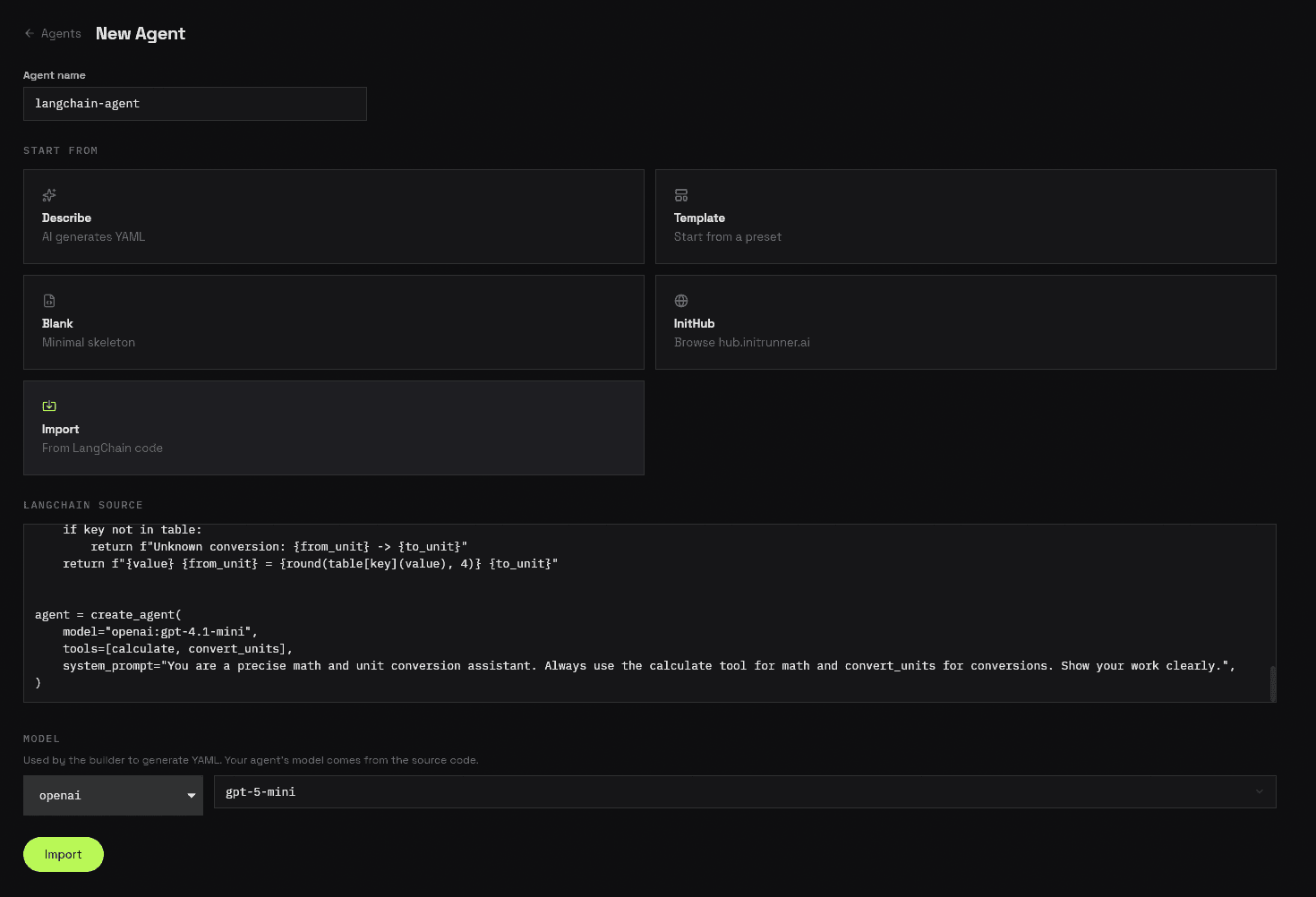
2. Review the converted agent
InitRunner parses your code and generates a complete role definition. Review the YAML — your model, system prompt, and tools are mapped automatically. If any LangChain features couldn't be converted (e.g. memory, LCEL chains), you'll see warnings at the top explaining what to configure manually.
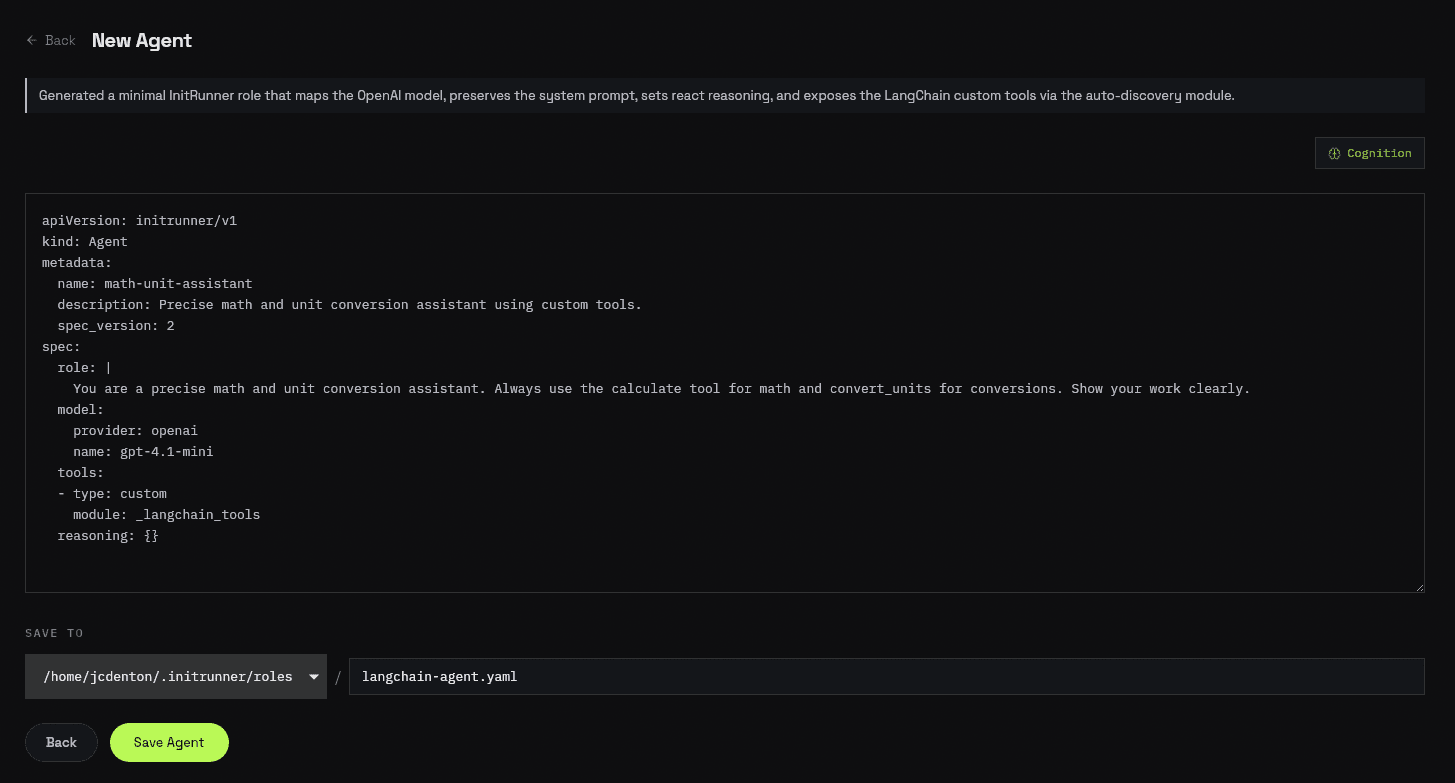
3. Save
Click Save Agent to write the role file. Your imported agent is ready to run from the dashboard or CLI.
CLI Import
Point initrunner new at your LangChain Python file:
initrunner new --langchain my_agent.pyInitRunner reads the file, extracts the agent configuration, and generates an agent.yaml in the current directory. If your code has @tool functions, a sidecar module (e.g. role_tools.py) is created alongside.
By default you enter an interactive refinement loop where you can tweak the generated YAML. Skip it with --no-refine:
# Import without interactive refinement
initrunner new --langchain my_agent.py --no-refine

# Custom output path
initrunner new --langchain my_agent.py --output math-agent.yaml

# Use a specific builder model for conversion
initrunner new --langchain my_agent.py --provider anthropic --model claude-sonnet-4-6| Flag | Description |
|---|---|
--langchain PATH | Path to the LangChain Python file |
--output PATH | Output file path (default: agent.yaml) |
--provider TEXT | Builder model provider (auto-detected if omitted) |
--model TEXT | Builder model name |
--no-refine | Skip the interactive refinement loop |
--force | Overwrite existing file without prompting |
Before and After
Here's a concrete example. This LangChain agent has two custom tools, a system prompt, and a model configuration:
LangChain agent (math_agent.py):
from langchain.agents import create_agent
from langchain.tools import tool
import math

@tool
def calculate(expression: str) -> str:
    """Evaluate a mathematical expression safely.

    Args:
        expression: A math expression like '2 + 2' or 'sqrt(16) * 3'
    """
    allowed = {
        "sqrt": math.sqrt, "sin": math.sin, "cos": math.cos,
        "pi": math.pi, "e": math.e, "abs": abs, "round": round, "pow": pow,
    }
    try:
        return str(eval(expression, {"__builtins__": {}}, allowed))
    except Exception as e:
        return f"Error: {e}"

@tool
def convert_units(value: float, from_unit: str, to_unit: str) -> str:
    """Convert between common units of measurement.

    Args:
        value: The numeric value to convert
        from_unit: Source unit (km, mi, kg, lb, c, f)
        to_unit: Target unit (km, mi, kg, lb, c, f)
    """
    table = {
        ("km", "mi"): lambda v: v * 0.621371,
        ("mi", "km"): lambda v: v * 1.60934,
        ("kg", "lb"): lambda v: v * 2.20462,
        ("lb", "kg"): lambda v: v * 0.453592,
        ("c", "f"): lambda v: v * 9 / 5 + 32,
        ("f", "c"): lambda v: (v - 32) * 5 / 9,
    }
    key = (from_unit.lower(), to_unit.lower())
    if key not in table:
        return f"Unknown conversion: {from_unit} -> {to_unit}"
    return f"{value} {from_unit} = {round(table[key](value), 4)} {to_unit}"

agent = create_agent(
    model="openai:gpt-4.1-mini",
    tools=[calculate, convert_units],
    system_prompt="You are a precise math and unit conversion assistant. Always use the calculate tool for math and convert_units for conversions. Show your work clearly.",
)
Run the import:
initrunner new --langchain math_agent.py --no-refineGenerated agent.yaml:
name: math-unit-assistant
description: Precise math and unit conversion assistant using custom tools.
model:
  provider: openai
  name: gpt-4.1-mini
prompt: |
  You are a precise math and unit conversion assistant.
  Always use the calculate tool for math and convert_units
  for conversions. Show your work clearly.
tools:
  - custom:
      module: role_tools
Generated role_tools.py:
"""Custom tools extracted from LangChain agent."""
import math

def calculate(expression: str) -> str:
    """Evaluate a mathematical expression safely."""
    allowed = {
        "sqrt": math.sqrt, "sin": math.sin, "cos": math.cos,
        "pi": math.pi, "e": math.e, "abs": abs, "round": round, "pow": pow,
    }
    try:
        return str(eval(expression, {"__builtins__": {}}, allowed))
    except Exception as e:
        return f"Error: {e}"

def convert_units(value: float, from_unit: str, to_unit: str) -> str:
    """Convert between common units of measurement."""
    table = {
        ("km", "mi"): lambda v: v * 0.621371,
        ("mi", "km"): lambda v: v * 1.60934,
        ("kg", "lb"): lambda v: v * 2.20462,
        ("lb", "kg"): lambda v: v * 0.453592,
        ("c", "f"): lambda v: v * 9 / 5 + 32,
        ("f", "c"): lambda v: (v - 32) * 5 / 9,
    }
    key = (from_unit.lower(), to_unit.lower())
    if key not in table:
        return f"Unknown conversion: {from_unit} -> {to_unit}"
    return f"{value} {from_unit} = {round(table[key](value), 4)} {to_unit}"
The model, system prompt, and tools carry over automatically. Your @tool functions are extracted into role_tools.py with the @tool decorator removed — InitRunner discovers them as custom tools.
What Gets Converted
| LangChain | InitRunner |
|---|---|
create_agent("openai:gpt-4.1", ...) | model: {provider: openai, name: gpt-4.1} |
ChatAnthropic(model="...", temperature=0.7) | model: {provider: anthropic, temperature: 0.7} |
init_chat_model("...", max_tokens=1000) | model: {max_tokens: 1000} |
system_prompt="..." | prompt |
@tool decorated functions | custom + sidecar .py module |
DuckDuckGoSearchRun, TavilySearchResults, BraveSearch | search |
PythonREPLTool | python |
ShellTool | shell |
ReadFileTool, WriteFileTool, ListDirectoryTool | filesystem |
RequestsGetTool, RequestsPostTool | http |
WikipediaQueryRun | web_reader |
create_agent (ReAct pattern) | reasoning: {pattern: react} |
response_format=MySchema | output: {type: json_schema} |
CallLimitMiddleware(max_calls=15) | guardrails: {max_iterations: 15} |
What to Configure Manually
Some LangChain features don't have a direct 1:1 mapping and need manual configuration after import. The importer warns you about these:
| LangChain Feature | InitRunner Equivalent | Guide |
|---|---|---|
ConversationBufferMemory, ConversationSummaryMemory | memory | Memory |
LCEL pipelines (prompt | model | parser) | Describe the pipeline in prompt | Configuration |
| LangGraph state machines | flow.yaml multi-agent orchestration | Flow |
| Retrievers / VectorStores | ingest for document ingestion + RAG | Ingestion |
| Callback handlers | observability | Observability |
Next Steps
- Tools — explore 28 built-in tool types
- Memory — add persistent memory to your imported agent
- Ingestion — set up document search (RAG)
- Configuration — full YAML schema reference
- Dashboard — manage agents from the web UI
- Import from PydanticAI — convert PydanticAI agents to InitRunner