Skip to content
v0.2.0-beta — Open Source

Your First AI Agent
in 5 Minutes.

Open-source CLI that turns a YAML file into a running AI agent you can serve as an API. Built-in RAG, persistent memory, OpenAI-compatible endpoints, and a live dashboard. Define, run, observe.

$pip install initrunner
See It in Action

From YAML to Running Agent

agent.yaml
kind: Agent
name: code-reviewer
role: >
  You review pull requests for bugs,
  style issues, and security flaws.
model:
  provider: openai
  name: gpt-5-mini
tools:
  - type: github
    permissions: [read]
  - type: filesystem
    root_path: ./repo
Terminal
$ initrunner run agent.yaml

[init] Loading agent: code-reviewer
[init] Provider: openai / gpt-5-mini
[init] Tools: github, filesystem

[run] Agent ready. Awaiting input...
> Review PR #42 for security issues

[tool] github → fetched PR #42 (3 files changed)
[tool] read_file → src/auth.ts
[done] Review posted. 2 issues found.
Features

What you get out of the box

>_

Agents as Config, Not Code

Define your agent's role, tools, and behavior in a YAML file. No framework to learn, portable enough to check into git.

db

Every Decision, Logged Forever

Every input, tool call, and output is written to an immutable SQLite log. Full auditability out of the box.

{}

Swap Providers in One Line

Run on OpenAI today, switch to Anthropic tomorrow — change one line in your YAML. No vendor lock-in.

~>

Triggers & Scheduling

Wire up cron schedules, file watchers, or webhooks. Your agents run unattended and notify you on completion.

fn

Give Agents Your Own Tools

Plug in filesystem access, HTTP calls, MCP servers, or any Python function. If you can write it, your agent can use it.

>>

Plan, Execute, Adapt

Enable autonomy and your agent plans multi-step tasks, executes each one, and adapts when something fails.

Platform

Built-in Capabilities

RAG, memory, reusable skills, an OpenAI-compatible API server, and a live dashboard — configure in YAML, no external services required.

/v1

Deploy to Your Stack in One Command

Run ⁨initrunner serve⁩ and your agent becomes an OpenAI-compatible API — /v1/chat/completions with streaming, auth, and multi-turn conversations. Plug it into any OpenAI SDK, chat UI, or internal tool.

One command. OpenAI-compatible out of the box.

Terminal
$ initrunner serve agent.yaml --port 8000

[serve] Agent: research-assistant
[serve] Endpoint: /v1/chat/completions
[serve] Auth: Bearer token ✓
[serve] Streaming: enabled ✓
[serve] Listening on http://0.0.0.0:8000
ui

See What Your Agents Are Doing — Live

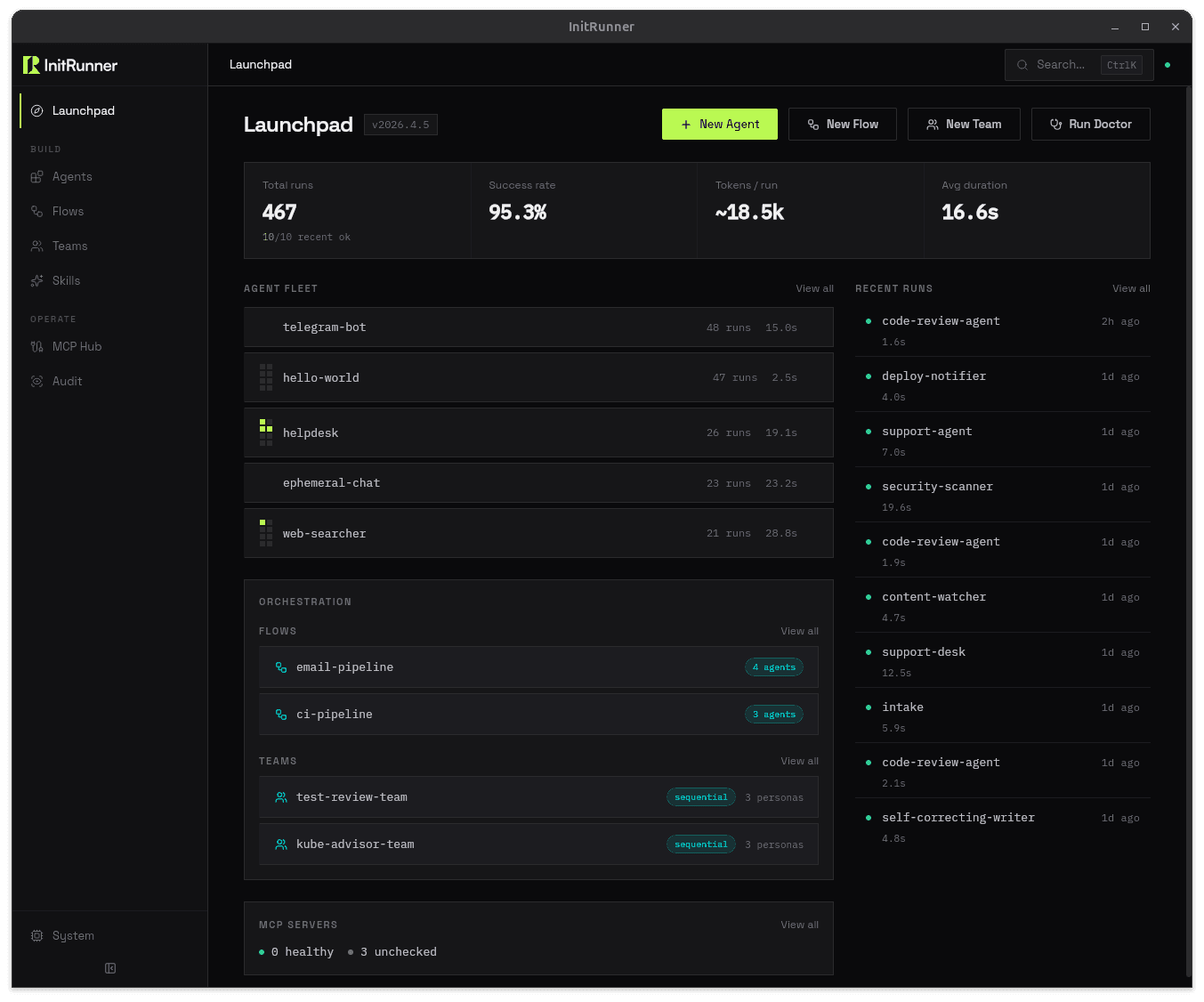
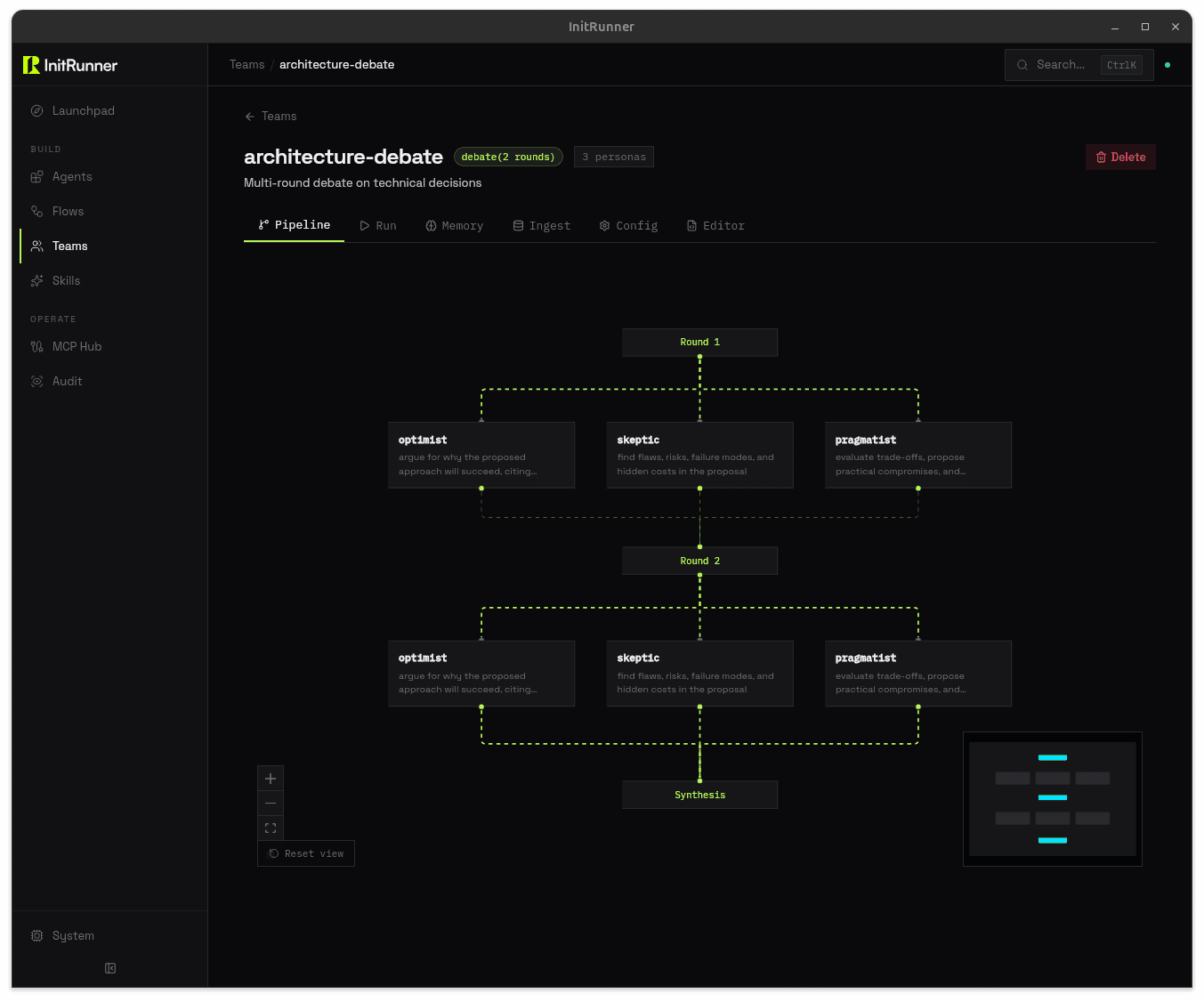
A terminal UI and web dashboard built for ops. Watch tool calls stream in real time, audit complete decision chains, and chat with running agents. Full decision chains are queryable — no log-grepping needed.

Observe, audit, intervene — from your terminal or browser.

See What Your Agents Are Doing — Live — Chat
$

Set Budgets Before Agents Burn Them

The guardrails block gives you per-run token caps, session budgets, and daily or lifetime daemon budgets — all in YAML. Agents stop automatically when they hit a limit and warn at 80 %. No surprise bills from runaway loops, no manual kill switches. Set it once and forget it.

Per-run caps. Daily budgets. Automatic enforcement.

agent.yaml
guardrails:
  max_tokens_per_run: 10000
  max_tool_calls: 15
  session_token_budget: 100000
  daemon_token_budget: 500000
  daemon_daily_token_budget: 100000

# Agents stop at the limit. Warn at 80%.
# No surprise bills from runaway loops.
?>

Your Docs Become Agent Knowledge

Point at a folder of markdown, PDFs, or CSVs. InitRunner chunks, embeds, and indexes them automatically. Your agent gets search_documents() as a tool — semantic search over your own knowledge base, with source citations. No vector database to manage. No embedding pipeline to wire up.

Three lines of YAML. Semantic search over your own docs.

agent.yaml
ingest:
  sources:
    - "./docs/**/*.md"
    - "./reports/*.pdf"
  chunking:
    strategy: paragraph
    chunk_size: 512
[]

Agents That Learn, Not Just Respond

Session persistence picks up where you left off. Semantic memory lets agents remember() what worked and recall() it later — across sessions, across days. Your support agent remembers the customer’s last issue. Your research agent builds on yesterday’s findings.

No Redis. No external store. Just YAML.

agent.yaml
memory:
  max_memories: 1000

# Your agent gets these tools automatically:
# → remember(content, category)
# → recall(query, top_k)
# → list_memories(category, limit)
::

Skills: Write Once, Plug In Everywhere

Bundle tools and prompt instructions into a single SKILL.md file — YAML frontmatter for tools and requirements, Markdown body for the prompt. Reference the skill from any agent config and InitRunner auto-merges the tools, appends the prompts, and validates environment requirements before loading. No more duplicating tool blocks across twenty agent files.

One SKILL.md. Every agent gets it.

SKILL.md
---
name: web-research
tools:
  - type: web_reader
  - type: filesystem
    root_path: ./output
requires:
  env: [SEARCH_API_KEY]
---

You are a web research specialist.
Search the web, extract key findings,
and save structured summaries to ./output.
Always cite your sources.
Workflow

How It Works

1

Define

Describe your agent in a YAML file — its model, role, tools, and memory. Or run initrunner init and answer three questions. Either way, you're done in under a minute.

2

Run

Execute with initrunner run agent.yaml. Your agent loads, connects to its tools, and starts working. Every action is logged to a tamper-proof audit trail automatically.

3

Automate

Add a trigger — cron, file watcher, or webhook — and your agent runs itself. You get notified when it's done, not when it needs you.

Integrations

Use Whatever LLM You Want

Switch providers with a one-line config change. No code rewrites, no SDK migrations.

OpenAIAnthropicGoogle GeminiGroqMistralCohereAWS BedrockxAIOllama+ any OpenAI-compatible API